

When to use it
Reach for Automated Localization when you need a localized version fast and the source has the text it needs (a transcription or script). It’s ideal for quick subtitled cuts and turnarounds where a full vendor pass would be slower than necessary. For complex creative work — full dubbing, hand-crafted graphics — a standard vendor work request is still the right call.Setting it up
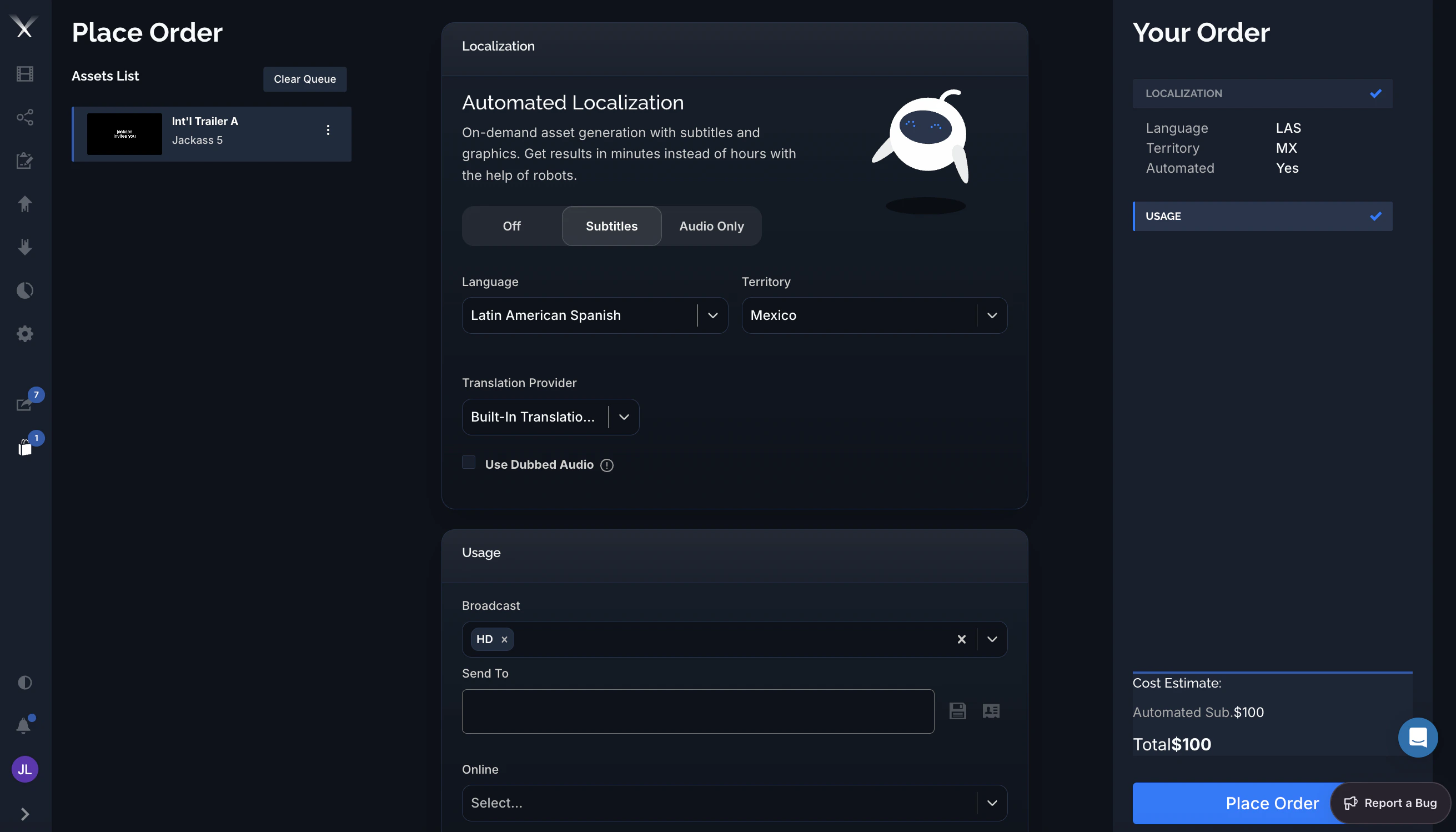
In the Localization panel of an order, the Automated Localization toggle has three positions:| Mode | What you get |
|---|---|
| Off | A standard order — translation and production are handled the normal way. |
| Subtitles | Automated subtitled deliverables. When the asset and language support it, localized graphics are generated alongside the subtitles. |
| Audio Only | An automated audio deliverable — used with Use Dubbed Audio (see below). Availability depends on your account. |
- Language — the target language (for example Latin American Spanish).
- Territory — the destination territory (for example Mexico).
- Translation Provider — how the translation is produced:
- Built-In Translation Tool — Pixwel’s machine translation, applied instantly so the whole order can complete automatically.
- My Subtitling Vendor — send the translation to your own subtitling vendor by email instead of using machine translation.
- Usage — pick the deliverable formats just like any order (for example Broadcast HD, Online). See Usage.
Use Dubbed Audio (Audio Only) lets you upload a dubbed
.wav to replace the original audio. The uploaded audio must match the timing of the original version on the platform — that’s what the warning icon is flagging. This option appears only when your account has audio mixing enabled.What it costs
Automated orders are priced per language, not per file. The Your Order summary marks the order Automated: Yes and shows the charge on a line labeled Automated Sub. in the Cost Estimate (for example$100). Unlike standard orders, automated orders don’t incur per-file encoding charges. Your actual rates come from your studio’s billing configuration.
What you get
When the order runs, Pixwel produces the localized deliverables automatically and delivers them straight to the asset — typically a Broadcast (ProRes) and/or Online (H.264) version for the usages you selected. Automated output is labeledAUTOSUB in the file name so you can tell it apart from vendor-produced deliverables. Because there’s no vendor queue, results are usually ready in minutes, and a due date isn’t required.
Availability
Automated Localization appears only when:- Your group has autosubs access for the asset (granted by an administrator on the Permissions tab, and scoped by source, country, and language).
- The asset has a transcription or script to translate from (it’s not available for print assets).
- For Audio Only and Use Dubbed Audio, your account has audio mixing enabled.