

The Admin Dashboard is administrator-only. If you don’t see it, your group hasn’t been granted administrator access. See User roles.
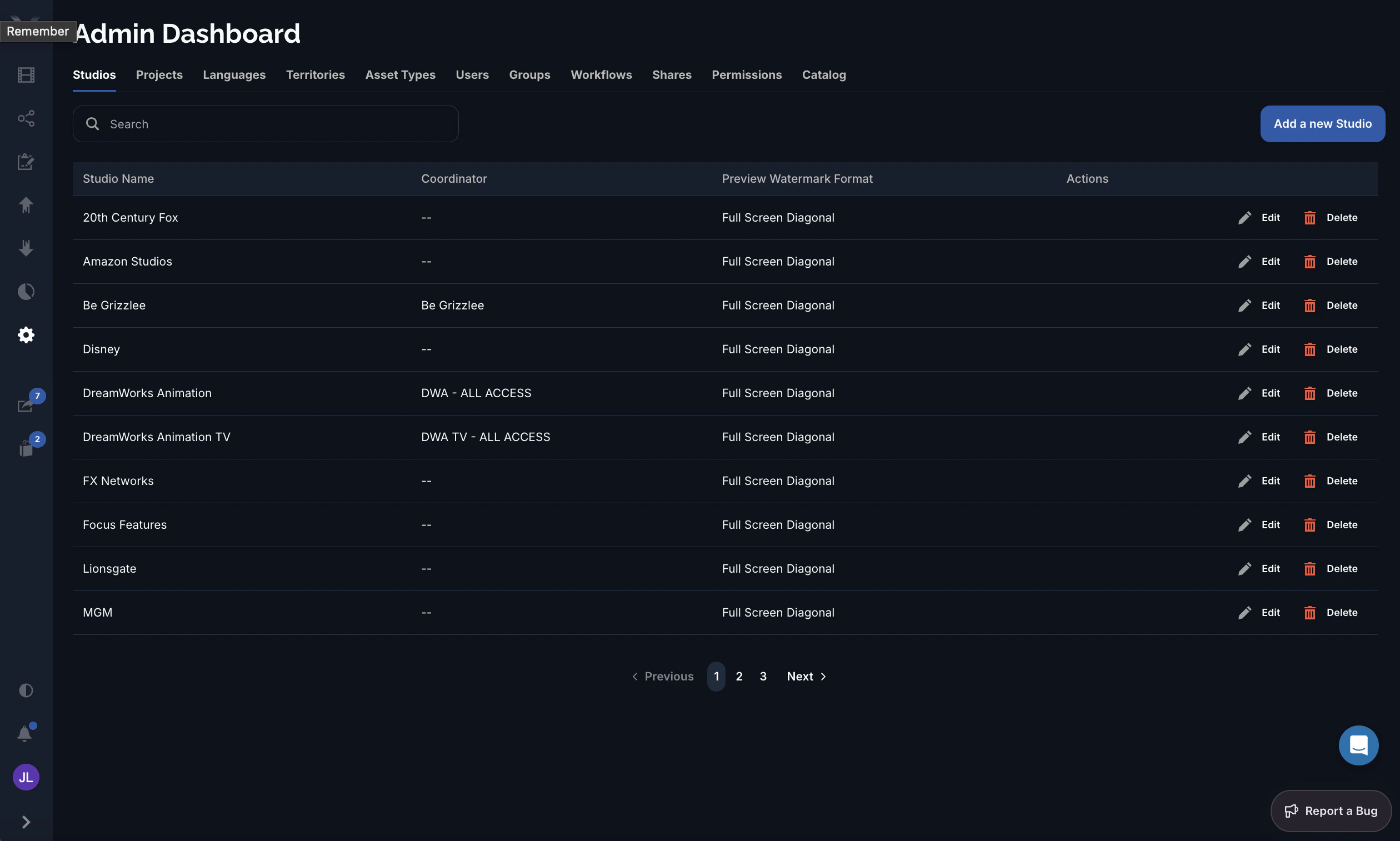
The tabs
| Tab | What you manage |
|---|---|
| Studios | The studios that own projects — name, logo, coordinator, watermark format, and 2FA. |
| Projects | The projects under each studio, including their file prefix and archive state. |
| Languages | The localization languages available platform-wide — their codes and translation fonts. |
| Territories | The distribution territories (geographic regions), each with its assigned languages and countries. |
| Asset Types | The asset types (trailer, TV spot, key art, and so on) assets can be categorized as. |
| Users | The people on the platform — accounts, group membership, and approval state. |
| Groups | The groups that define a user’s role and permissions. |
| Workflows | The asset workflows orders move through — phases and approval behavior. |
| Shares | Oversight of shares across the platform. |
| Permissions | The permissions granted to each group or user, scoped by studio, project, territory, language, and usage. |
| Catalog | Bulk embargo management for files and previews. |
Common actions
Within the standard list tabs you can:- Search the list to find a record by name.
- Add a new record with the button at the top-right.
- Edit a record in a detail form.
- Delete a record (where allowed — records still in use are protected).
- Page through long lists with the pager at the bottom.