

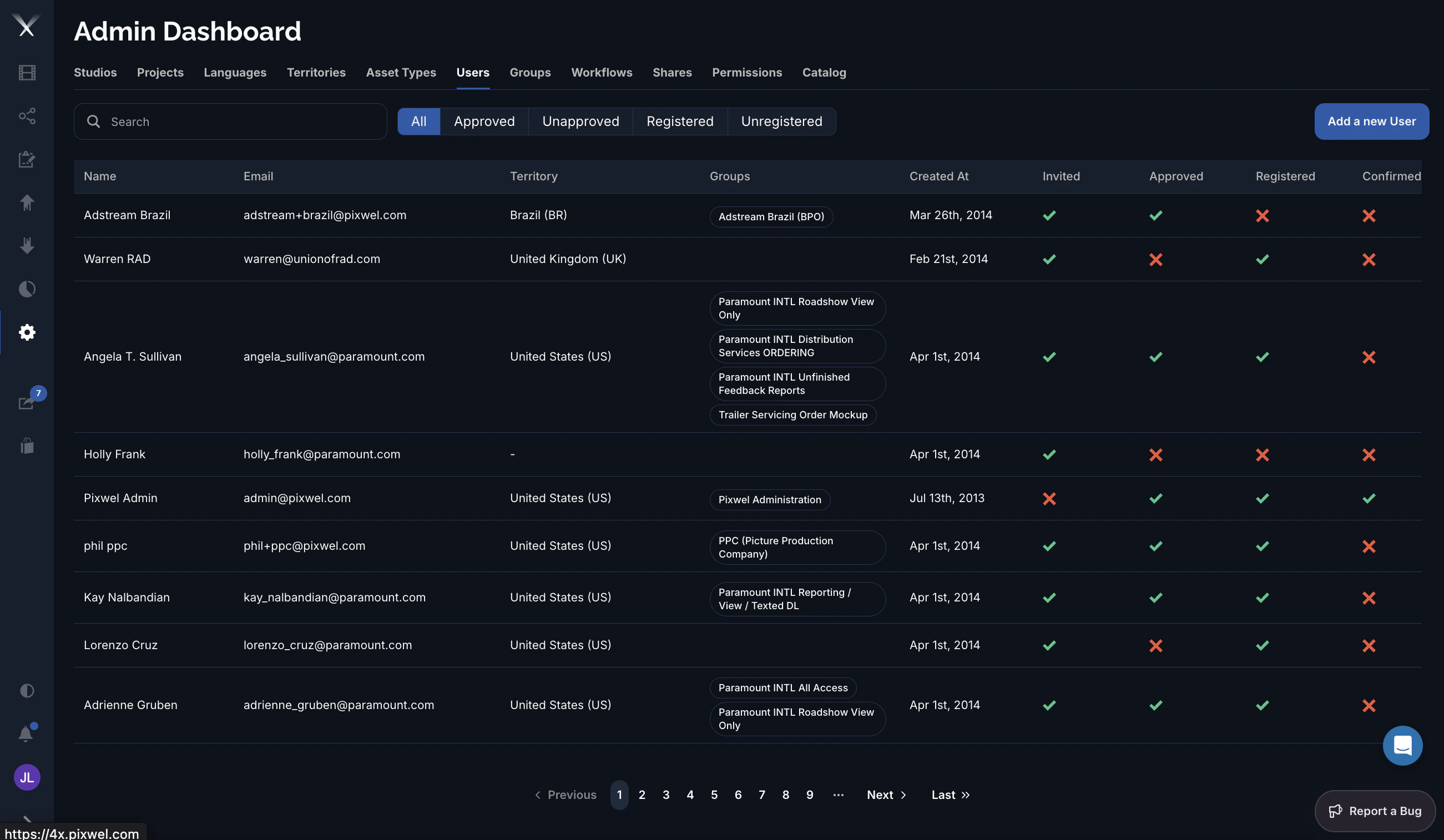
Filtering
Above the list, filter chips narrow it by lifecycle state: All, Approved, Unapproved, Registered, and Unregistered. Combine these with Search to find an account quickly.Columns
| Column | What it is |
|---|---|
| Name | The user’s full name. |
| The login email (also the username). | |
| Territory | The territory the user is associated with, if any. |
| Groups | The groups the user belongs to, shown as tags. |
| Created At | When the account was created. |
| Invited / Approved / Registered / Confirmed | The account’s lifecycle flags (see below). |
| Actions | Impersonate, Edit, Delete. |
Editing a user
The user form has these fields:- Full Name
- Email — set at creation and locked when editing.
- Territory — the user’s associated region.
- Groups — the groups the user belongs to; this is how membership is granted.
- Approve — marks the account as approved.