

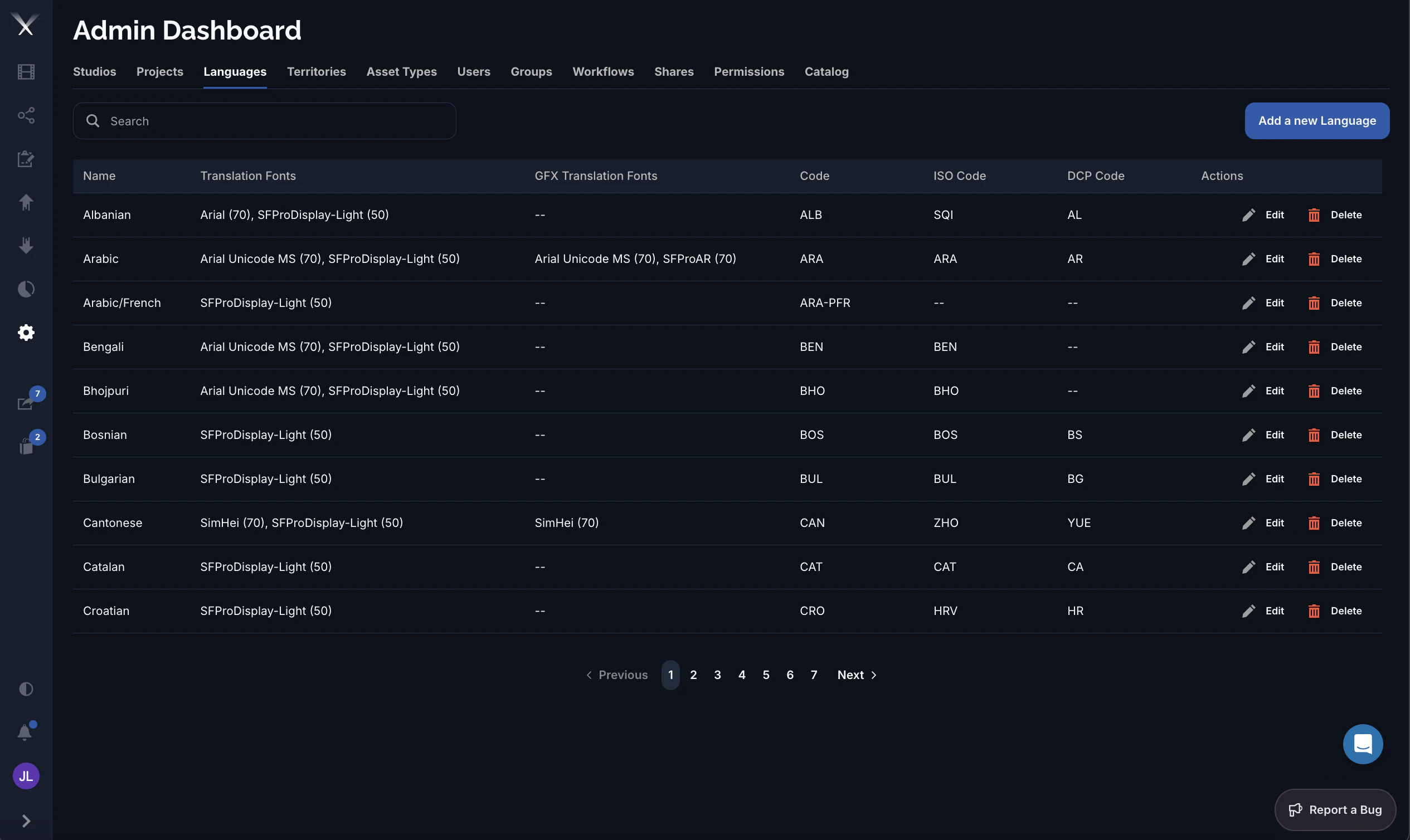
Columns
| Column | What it is |
|---|---|
| Name | The display name (for example Arabic, Cantonese). |
| Translation Fonts | The font(s) used to render subtitles for this language, shown as face (size) — for example Arial (70). The number is the font size in points. |
| GFX Translation Fonts | The font(s) used to render text in localized graphics (GFX). Shows -- when a language has no graphics-specific font. |
| Code | Pixwel’s internal three-letter language code (for example ARA, CAN) used throughout the platform to tag files, territories, and translations. |
| ISO Code | The standard ISO 639 language code, for interoperability with industry tooling. |
| DCP Code | The code used in Digital Cinema Package naming for theatrical delivery. Blank for languages with no DCP equivalent. |
Editing a language
The language form has two tabs:- Details — the Name and the three codes (Code, ISO Code, DCP Code).
- Translations — the Translation Fonts (subtitles) and GFX Translation Fonts (graphics). Each font row sets a face, a size in points, and an optional studio, so a studio can override the default font for a language. Subtitle fonts can toggle an outline; GFX fonts choose a weight (Regular or Bold).
Combined codes such as
ARA-PFR (Arabic/French) represent dual-language deliverables. Some of these have no GFX font or DCP code, which is expected.