

What types of scripts are available
| Script | Contents | Format |
|---|---|---|
| SRT transcript | Timed dialogue, narration, and graphics. | .srt |
| Graphics SRT transcript | Timed graphics only. | .srt |
| Continuity script | Timed dialogue, narration, graphics, and character identification. | .doc / .docx |
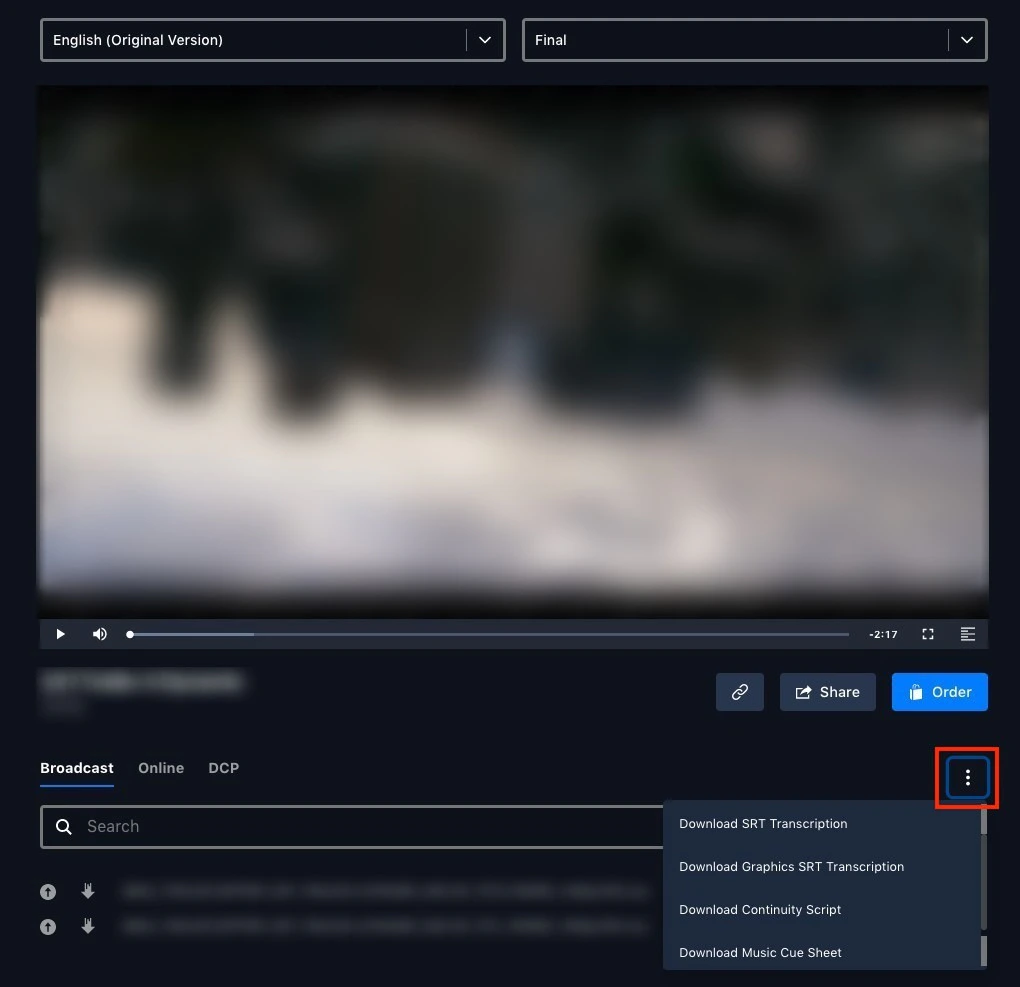
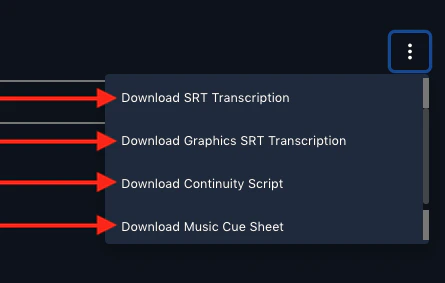
| Music cue sheet | The asset’s music cues, where available. | document |
.ass script format also exists, but it’s limited to translated scripts and is only produced through a submitted subtitled work order.
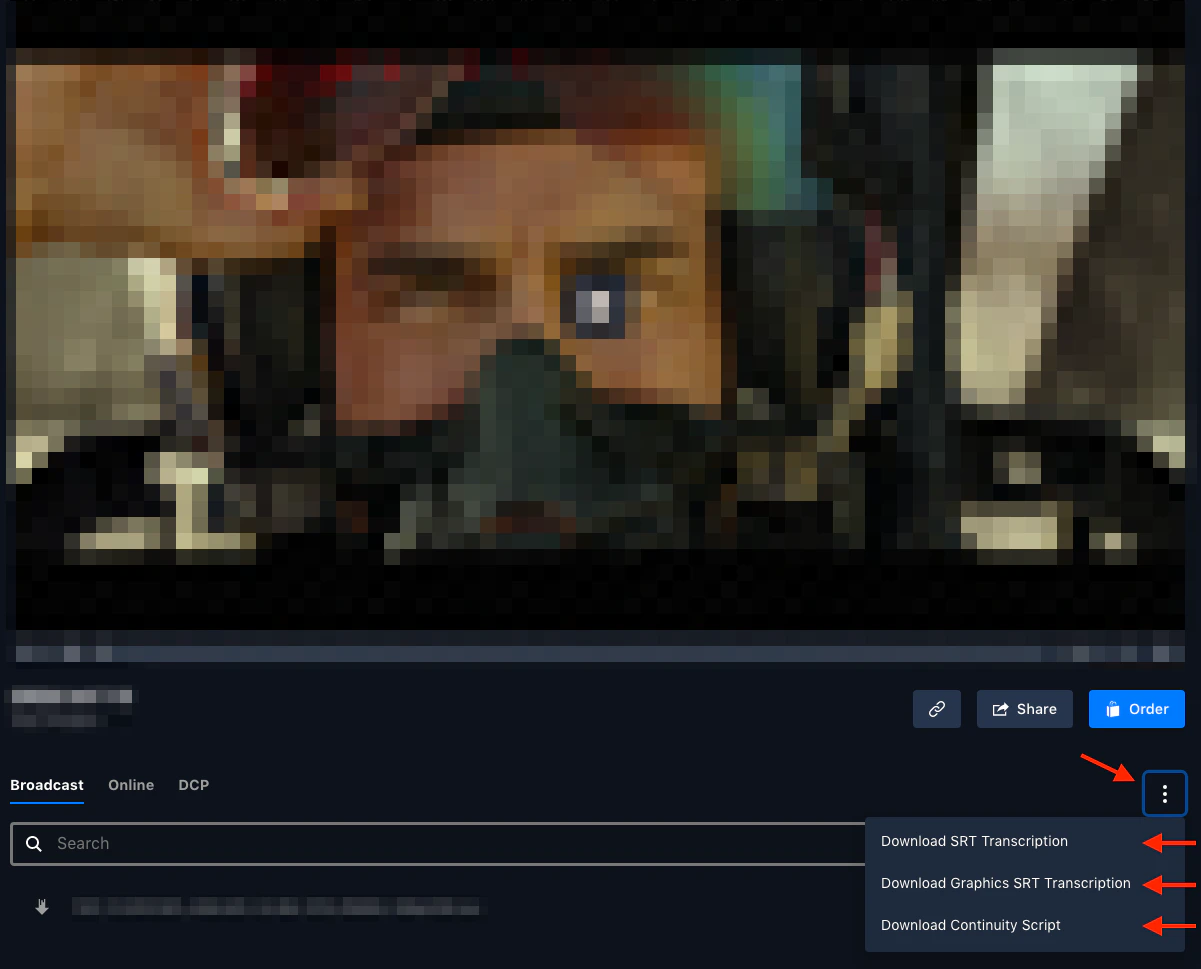
How to download a script
When are scripts available
Scripts are generated automatically after an asset is uploaded:.srtfiles — roughly four to six hours after upload.- Continuity scripts — up to 12 hours after upload, depending on complexity.